Loading Remote Data
A guide to loading remote data into CanvasXpress.
File Formats for Loading Data in CanvasXpress
CanvasXpress not only lets you create data visualizations in the JSON format, but it also allows you to load other data formats, including XML, PNG, SVG and PDF saved by CanvasXpress, and tab-delimited (CSV, TSV). It also reads compressed and archived data — a gzipped file (.gz) or a .zip, .tar or .tar.gz archive that bundles one or more of the supported files.
Create these visualization formats programmatically or by dragging and dropping them into the CanvasXpress visualization.
Below is an example showing a visualization of a CSV file dataset. See the parameters in the JSON below.
new CanvasXpress({
  renderTo: "canvasCSV",
  data: "https://raw.githubusercontent.com/neuhausi/Rdatasets/master/csv/datasets/ToothGrowth.csv",
  config: {
    title: "Tooth Growth",
    smpLabelRotate: 90,
    graphType: "Boxplot",
    theme: "CanvasXpress",
    graphOrientation: "vertical",
    xAxis: ["len"],
    metaData: {
      "dose": true
    },
    groupingFactors: ["dose"]
  }
});
File Formats
To demonstrate the drag and drop capabilities of the CanvasXpress visualization, you may download the files below and drag them into the visualization. This tool allows for easy and time-effective handling of datasets.


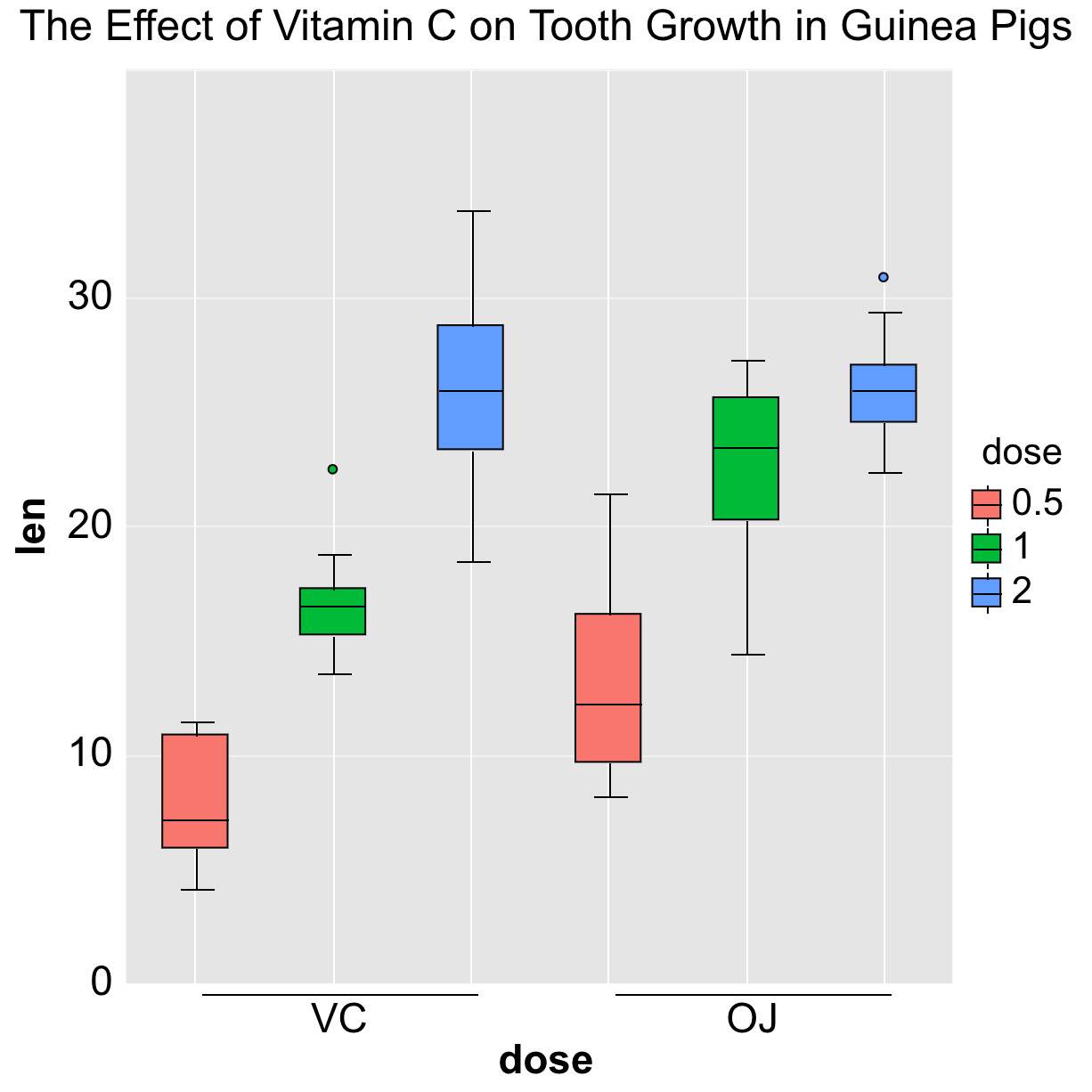

Export to PDF
File › Save as PDF (also in the Customizer's File panel, or cx.savePDF()) writes a vector PDF of the chart: lines and shapes stay sharp at any zoom, text is real selectable text, and the file opens in any PDF reader or journal submission system. CanvasXpress writes the PDF itself — no extra library is loaded.
- The chart travels with it. Like a saved PNG or SVG, the PDF carries the chart's data and configuration (as an attached .json file, visible in a PDF reader's attachments panel). Drop the PDF onto any chart, or load a .pdf URL, to get the interactive chart back. Turn this off with
isReproducibleResearch: false; a password set on the chart encrypts the attached data the same way. - Accessible. The PDF is tagged: the chart is a figure whose alternative text is your
a11yDescription(or the generated summary), so screen readers announce it. The title, alt text and byline also fill the document properties. - Fonts. Text uses the standard PDF fonts (Helvetica, Times or Courier by the chart's font family, plus Symbol for Greek letters and math signs such as ≤ and ∞), sized to the on-screen layout. Characters those fonts do not cover, such as Chinese or Japanese, print as “?” — use Save as SVG for those charts.
// Download a vector PDF
cx.savePDF();

// Or get the bytes (a Promise of Uint8Array), e.g. to upload them
cx.getPDFBytes().then(function (bytes) { /* ... */ });
Compressed & Archived Files
Data files are often shipped compressed or bundled together. CanvasXpress reads them directly — drag a compressed or archived file onto a visualization, or point data at its URL, and it is decompressed and rendered in the browser with no server round-trip and no extra libraries.
- .gz — a single gzip-compressed file (for example expression.csv.gz or chart.json.gz). It is decompressed and loaded by its inner format.
- .zip, .tar, .tar.gz, .tgz — an archive that contains one or more supported files. CanvasXpress decides what to load using a simple convention:
- Manifest — if the archive holds a JSON file whose
dataproperty is the name of another file in the archive, that file is loaded as the data and the JSON supplies theconfig,titleand events. - Config + data pair — one data file (CSV/TSV/JSON/Parquet/…) plus one JSON file of configuration are combined automatically.
- Single file — an archive with just one supported data file loads it directly.
Loading from a URL works like any other remote file — set data to the archive's address and CanvasXpress fetches, decompresses and renders it:
// A .zip / .tar / .tar.gz that bundles the data (and optional config)
new CanvasXpress({
  renderTo: "canvasArchive",
  data: "https://www.canvasxpress.org/data/archives/expression.tar.gz"
});

// A single gzip-compressed file
new CanvasXpress({
  renderTo: "canvasGz",
  data: "https://www.canvasxpress.org/data/archives/expression.csv.gz",
  config: { graphType: "Heatmap" }
});
The supported entry formats are the same ones listed above (JSON, CSV/TSV, XML, GML, GEXF, GeoJSON, SVG, PNG, PDF, Parquet). Drag-and-drop handles all of them; loading over a URL currently supports JSON, CSV/TSV, Parquet, SVG, PNG and PDF entries (graph and map formats inside a URL archive are handled by drag-and-drop). Encrypted and Zip64 archives are not supported.
